In short
The SkyWays workbench is a free companion to this tutorial that runs entirely in your browser and holds thirteen dated episodes of one fictional project. Nine simulations ask for a decision and show what each option does to the steps that follow, and seventeen tools open filled in with SkyWays' numbers, ready for yours. An evidence pack collects every artefact and downloads as one markdown file.
The workbench how to practise with it
- 1Read an episodeeach one closes a loop
- 2Run it twiceloop-closing path first
- 3Use your numbers17 tools, formulas shown
- 4Add the artefactto the evidence pack
- Download the packone markdown file
Thirteen dated episodes, nine simulations, seventeen calculators. Run each episode once as written and once your way.
In this lesson you'll learn:
- what each part of the workbench is for, with a screenshot of each;
- how to run a simulation so that it teaches something, rather than being won;
- how to take its artefacts into your own project.
Sound familiar?#
- You have read about bars and shadow runs, and never had to make the call with a room watching.
- The last workshop taught a framework with slides, and nothing happened when anyone chose badly.
- Templates arrive empty, and nobody on the team knows what a good one looks like.
The workbench is built for all three: decisions with consequences, and every template filled in first.
What is the SkyWays workbench?#
One web page, no sign-in, and nothing you type leaves your browser. It follows SkyWays, this manual's fictional airline, through the same ninety days as the case study, and every concept in it links to where it is taught, where it is practised and the tool that applies it. The evidence pack is kept in your browser only.
Use it, step by step#
Step 1 · Start with the story#
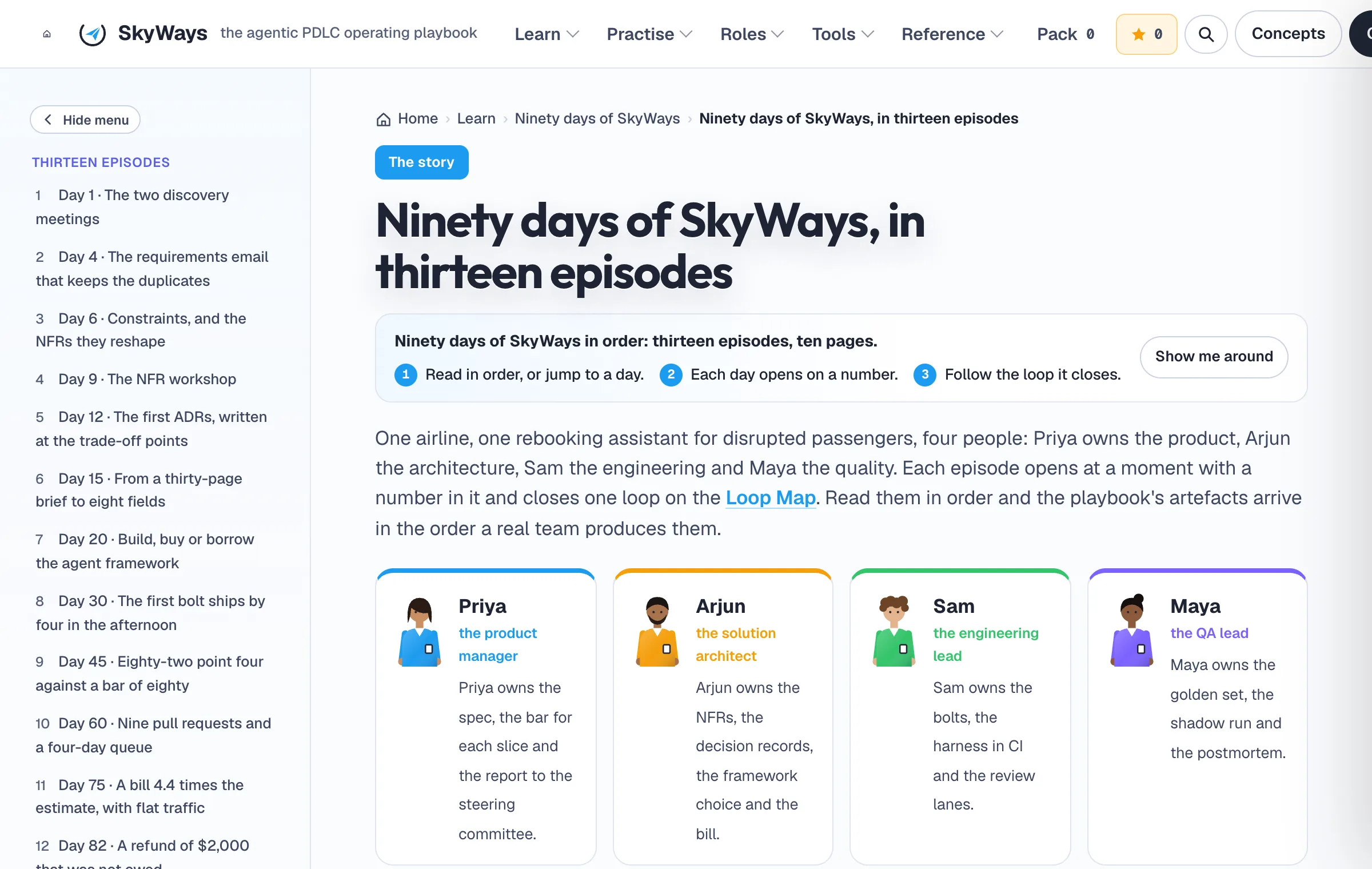
Thirteen episodes, each opening at a moment with a number in it and closing one loop. Read them in order and the artefacts arrive in the order a real team produces them. Open the story
Step 2 · Run a simulation twice#
Each of the nine simulations is a sequence of decisions on the SkyWays case, and each option shows what it does to the steps that follow and the artefact it leaves behind. Run each one twice: once on the path that closes the loop, and once on the path that feels faster. The second run is where the lesson is.
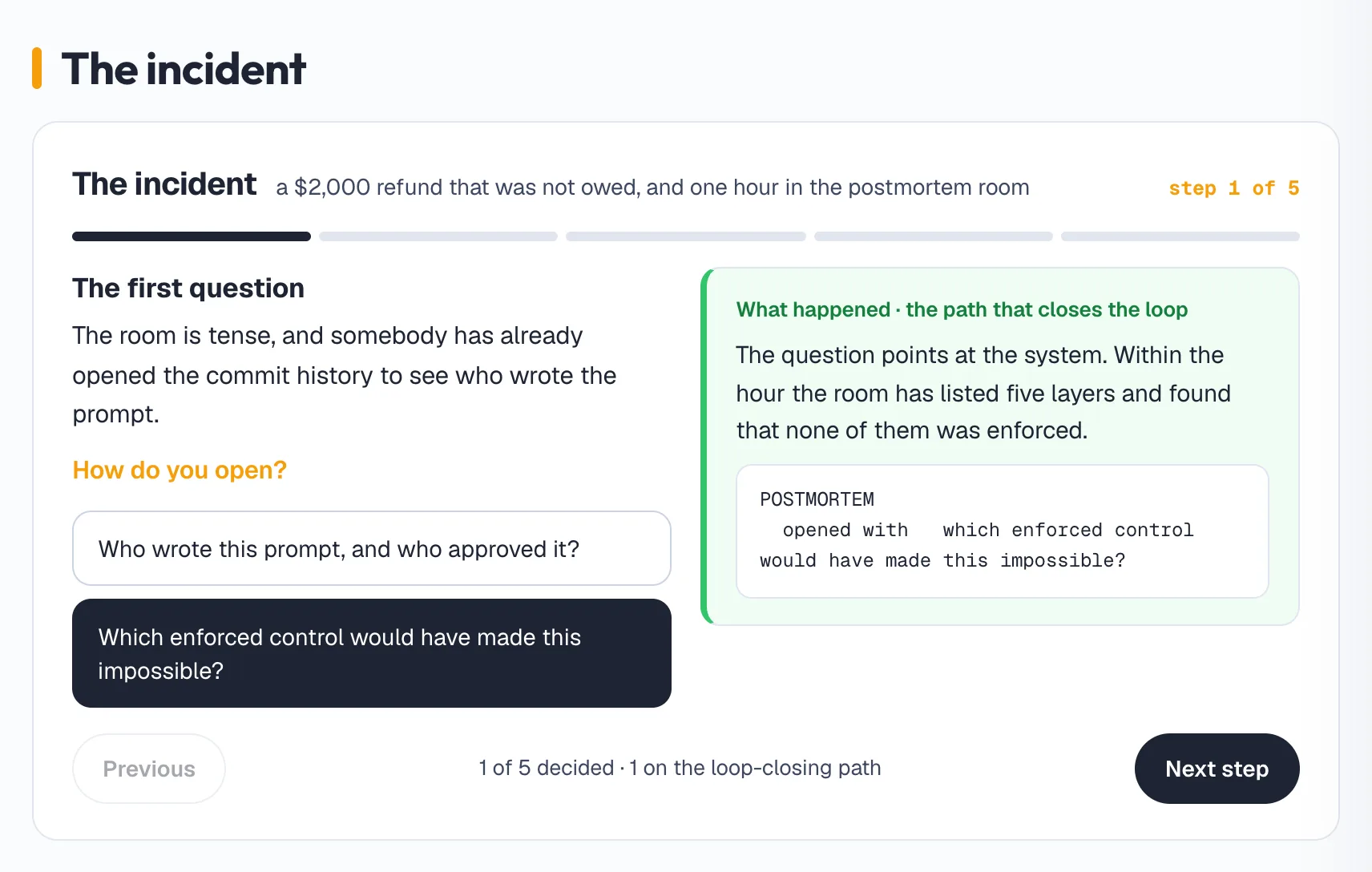
The nine are the NFR workshop, the paper agent, build, buy or borrow, ninety days of SkyWays, the six-week deadline, the review bottleneck, the pricing-page walk, the bill blowout and the incident. All simulations
Step 3 · Replace SkyWays' numbers with yours#
Every tool arrives filled in, so the result can be read before anything is typed; replace the values with your project's and the result and the artefact change as you type. Each tool shows the formula or rule it uses.
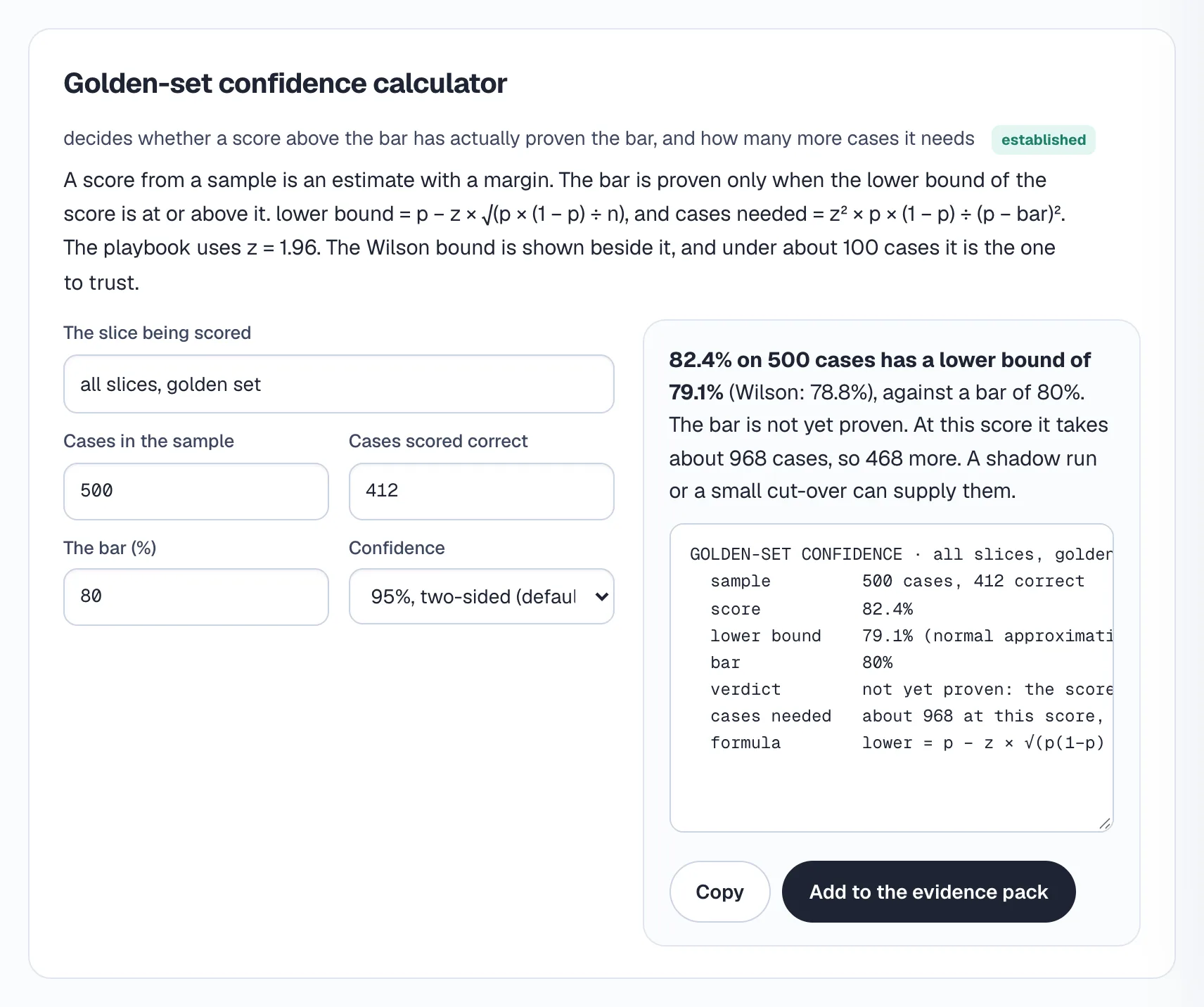
The calculator uses the same rule as this tutorial (z = 1.96, the lower end of a two-sided 95% interval) so SkyWays' 412 of 500 reads 79.1% and 968 cases in both places. It also offers one-sided bounds, for a team that has chosen one in advance. The toolkit
Step 4 · Keep the Loop Map in view#
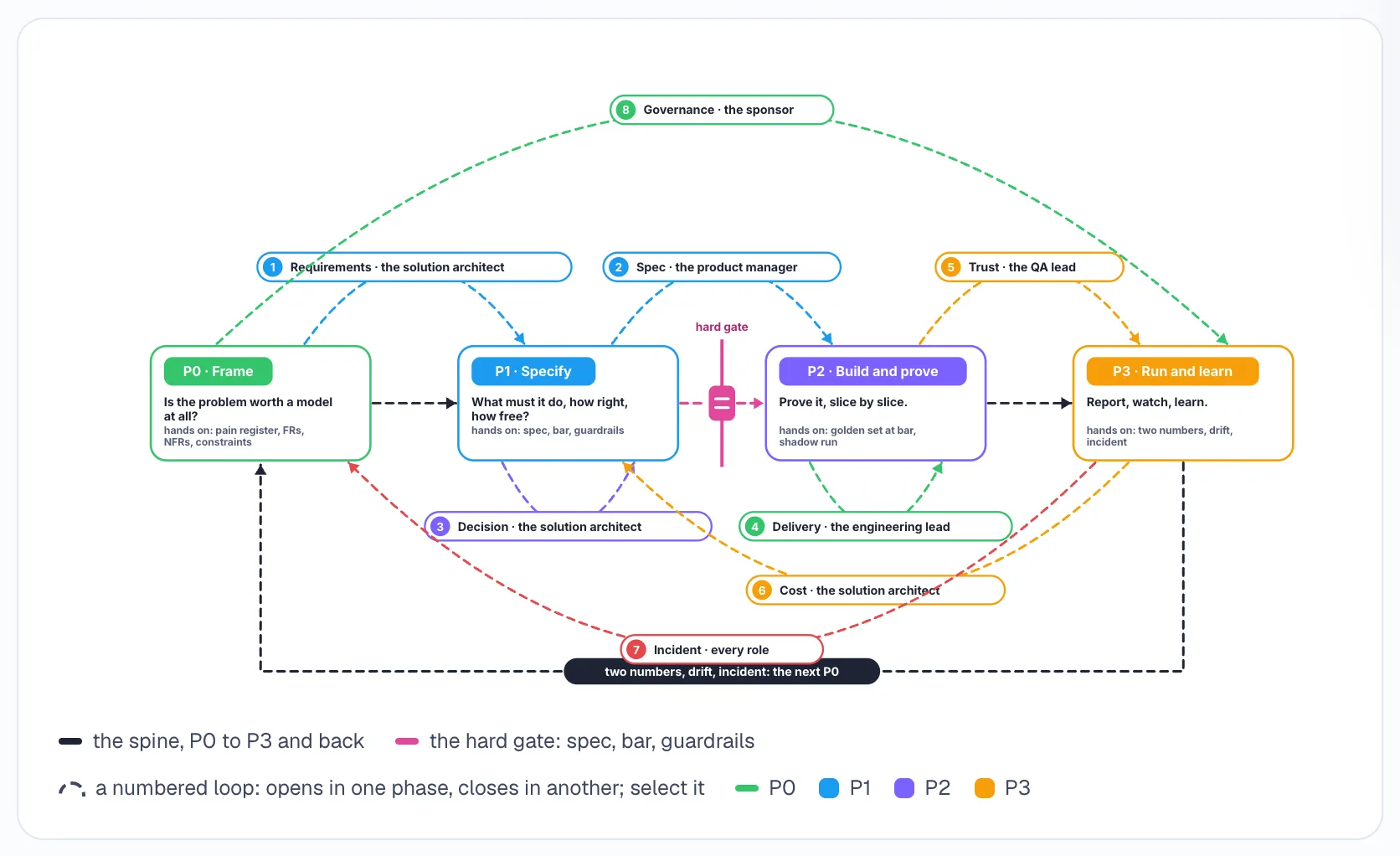
One picture that every page returns to: four phases drawn as a closing loop, the hand-off artefacts written on the arrows, and the eight loops numbered around it. Select a phase or a loop to see where it is worked through.
Step 5 · Collect the evidence pack#
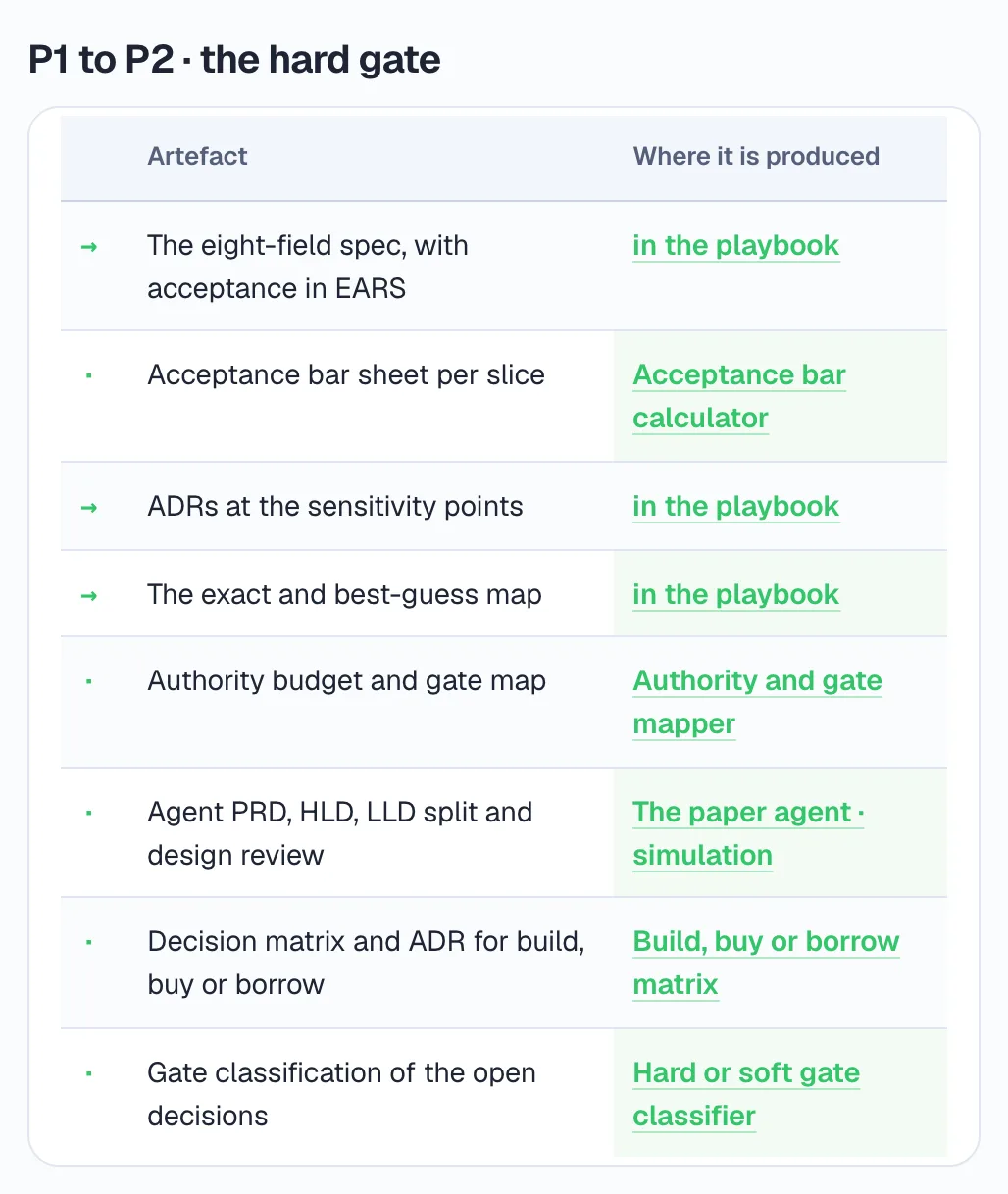
The pack lists the documents that the product manager, the architect and the engineering lead hand to each other at the four hand-offs, marks the ones you already hold, and downloads as one markdown file that can go straight into a repository. The evidence pack
Step 6 · Go deeper by role#
Three playbooks (Solution Architect, Product Manager, and Engineering and QA) walk the same case from P0 to P3 in eighteen steps each, with the traditional practice and the agentic change side by side. The workbench's own guide suggests paths by the time you have: a 90-minute briefing, a half-day workshop or a full day. How to use the workbench
Where you'll use it#
- Before a project starts, as a rehearsal: run the ninety days, then the simulation for your riskiest step.
- In team training: one simulation per session, run twice, with the second run argued out loud.
- On a live project: open the tool for the artefact you owe next, and replace SkyWays' numbers.
Why it matters#
Decisions are learned by making them. A meta-analysis of 225 studies found that students taught with active learning outperformed those taught by lecture, and were less likely to fail. The workbench applies the same idea to delivery: a choice, its consequence, and the artefact it leaves, before the real ones.
Try it#
In the confidence calculator, switch the confidence from the default to 95%, one-sided. The lower bound of 412 of 500 rises from 79.1% to 79.6%, and the cases needed fall from 968 to 682. Did the evidence change?
Show the answer
No: only the convention did. 0.824 − 1.645 × √(0.824 × 0.176 ÷ 500) = 0.796 is a one-sided 95% bound; with 1.96 it is 0.791, which is one-sided 97.5%. Cases needed scale with the square of the constant: 1.96² ÷ 1.645² ≈ 1.42, and 682 × 1.42 ≈ 968. The verdict is the same under both: not yet proven. Fix the convention before anyone sees a score, and write it on the bar sheet: choosing it afterwards is how a team talks itself into a launch.
Key takeaways#
- Five parts: the story, nine simulations, seventeen tools, the Loop Map and the evidence pack.
- Run each simulation twice: the path that feels faster is where the lesson is.
- Every tool starts filled in: read SkyWays' result first, then replace the numbers with yours.
FAQ#
Is the agentic AI workbench free?#
Yes. It is a single web page with no sign-in, published with this manual. Everything runs in your browser, and nothing you type is sent anywhere.
Which simulation should I run first?#
"Ninety days of SkyWays" for the whole arc, one decision per episode, then the one closest to your next hard decision: the review bottleneck, the bill blowout or the incident.
Can I use the workbench for team training?#
Yes. Run one simulation per session, twice: once choosing the loop-closing option and once the faster one, and discuss why the consequences differ. The artefacts from the session go into the evidence pack.
Does the workbench save my work?#
The evidence pack is kept in your browser's local storage, on that device only. Download it as a markdown file to keep it or share it.
Apply it in your role#
| If you are… | Do this | The AI-augmented shortcut |
|---|---|---|
| A forward-deployed engineer | Run the workbench with the customer's team in a workshop (one simulation, twice) before their first real decision. | Ask a model to adapt the simulation's debrief questions to the customer's domain. |
| A product manager or FDPM | Use the prefilled tools with your own numbers to produce real artefacts: the bar sheet, the value line, the two-number report. | Download the evidence pack and have a model check it against your repository. |
| A GenAI or agentic AI engineer | Use the confidence and bill-leak calculators on your own logs before a review. | Ask a coding agent to export your per-call log in the columns the bill-leak calculator expects. |
Across the enterprise. Make the workbench part of onboarding for every role. A team that has run the incident simulation writes better postmortems, and faster.
The ten-minute workflow. A workshop plan in one prompt:
Plan a 90-minute team workshop using the SkyWays workbench's "<simulation name>" simulation. Include a
five-minute framing, two runs (the loop-closing path, then the fast one), debrief questions that connect
it to our project <describe>, and the one artefact the team should leave with.
Sources and credits#
| Idea | Origin | Source |
|---|---|---|
| The workbench, its simulations, tools and evidence pack | Original: this manual | The workbench |
| Active learning outperforms lecture | Borrowed | Freeman, S. et al. (2014). Active learning increases student performance in science, engineering, and mathematics. PNAS 111(23) |
| The Wilson bound the calculator shows beside the normal one | Borrowed | Wilson, E. B. (1927). JASA 22(158) |
| SkyWays and its figures | Illustrative: a fictional airline | Ninety days of SkyWays |